



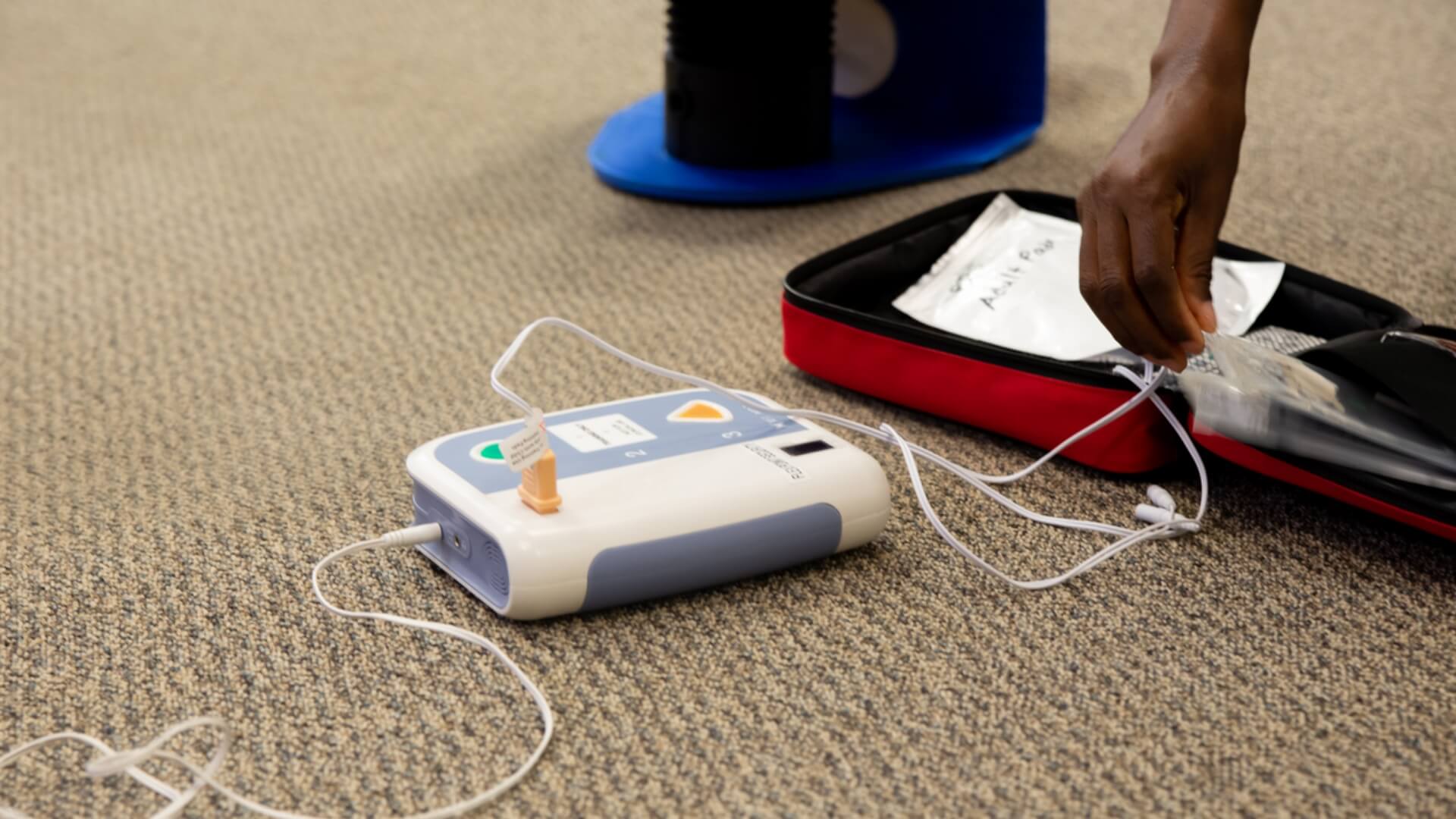
You know your AED needs a working battery, but the details can feel overwhelming. Which battery does your model need? What do those warning beeps mean? A dead or expired battery is a common—and preventable—reason a defibrillator fails. We get it. That’s why we created this simple guide to AED battery replacement. Keeping up with battery maintenance means your AED is ready when it matters most. This important step is key to being ready to save lives, and we’re here to make it easy.
Keeping an AED ready to save lives starts with something simple: staying on top of the battery. Check the end date often. Have a replacement ready. This keeps your device working well. In many states, these routine checks are not recommended but are required by law. Knowing how to replace the battery is key for every AED owner. The battery powers the shock that can restart a heart.
Why AED Battery Readiness is Critical
An Automated External Defibrillator (AED) is a powerful tool, but it’s completely dependent on its battery. Think of the battery as the heart of the device; without it, the AED cannot analyze a person’s heart rhythm or deliver a life-saving shock. During a sudden cardiac arrest, every second is critical. A fully charged, unexpired battery ensures your device is ready to perform the moment it’s needed. Neglecting this single component can render the entire device useless, turning a potential rescue into a tragedy. That’s why routine checks and a proactive replacement schedule aren’t just best practices—they are essential parts of any effective emergency response plan.
The Role of the Battery in Saving a Life
When someone experiences sudden cardiac arrest, their chance of survival decreases with every passing minute. An AED is designed to interrupt this countdown by delivering a controlled electrical shock to restore a normal heart rhythm. The battery powers every step of this process, from the voice prompts that guide you to the internal computer that analyzes the heart and, most importantly, the charge required for the shock itself. As the Rescue Training Institute notes, “AEDs save lives… Every second counts in these situations.” A weak or dead battery means no analysis and no shock, leaving you without the one tool that could make a difference.
How a Ready AED Impacts Survival Rates
The numbers speak for themselves. According to research, “Using an AED quickly can increase a person’s chance of surviving sudden cardiac arrest by up to 70%.” Without it, that chance plummets to less than 10%. This incredible gap highlights the direct impact of having a functional device on hand. A “functional device” is simply one with a working battery and pads. By ensuring your AED battery is within its expiration date and holds a proper charge, you are directly maintaining that 70% potential for survival. This is why effective AED program management, which includes regular battery checks, is so vital for businesses, schools and educational institutions, and community organizations.
Understanding AED Batteries: Types and Costs
Not all AED batteries are created equal. The type you need depends on your specific device, your environment, and how frequently the AED might be used. Most manufacturers design batteries specifically for their models to ensure optimal performance and reliability. Generally, you’ll encounter a few main categories, including non-rechargeable, rechargeable, and specialized batteries designed for specific uses like aviation. Understanding the differences helps you make an informed decision when it’s time to purchase a replacement and ensures your device remains compliant and ready for an emergency.
Common Types of AED Batteries
When you start shopping for a replacement, you’ll find that suppliers offer different types of batteries to fit various needs. The most common distinction is between single-use, non-rechargeable batteries and rechargeable battery packs. Non-rechargeable batteries are the standard for most public access AEDs found in offices, gyms and fitness centers, and schools because of their long shelf life and low maintenance. Rechargeable options are typically reserved for high-use environments like hospitals and ambulances, where devices are used frequently. Additionally, specialized batteries exist for unique situations, such as those approved for use on airplanes, which must meet strict FAA regulations.
Non-Rechargeable vs. Rechargeable Batteries
Non-rechargeable batteries, usually made with lithium, are the most common choice for public AED programs. They are designed for simplicity and reliability, as they are “ready to go right away and don’t need charging.” This makes them ideal for programs that require less upkeep. You simply install the battery, and it remains ready for years. In contrast, rechargeable batteries are “good for places that use their AEDs often, saving money over time and being better for the environment.” However, they require a separate charging station and a diligent routine to ensure they are always fully charged and ready for deployment.
Specialized Batteries for Aviation
Using an AED on an aircraft requires batteries that meet specific Federal Aviation Administration (FAA) standards. These are typically non-rechargeable lithium metal batteries that have been rigorously tested to prevent any risk during flight. If your organization manages AEDs for aviation, it’s crucial to use only FAA-approved batteries, such as those with a TSO C-142a certification. Using a standard battery not only violates regulations but could also pose a safety hazard. Always confirm your battery is approved for aviation use before installing it in a device intended for an aircraft.
How Much Do AED Batteries Cost?
The cost of a replacement AED battery can vary significantly. According to industry data, “AED replacement batteries usually cost between $40 and $430.” This wide range is due to several factors, including the AED’s brand and model, the battery’s chemistry and capacity, and its expected lifespan. For example, a battery for a basic model with a two-year life will cost much less than a high-capacity, five-year battery for an advanced life support device. While the price may seem high, it’s important to view it as a critical investment in your emergency preparedness program. You can explore a full catalog of replacement AED batteries to find the specific one for your device.
Why Genuine AED Batteries Are a Worthwhile Investment
It might be tempting to save money with a third-party or refurbished battery, but this is one area where you shouldn’t cut corners. AEDs are FDA-regulated medical devices, and using manufacturer-approved parts is essential for safety and performance. As AED Brands explains, “Choosing genuine replacement batteries protects your device’s warranty and ensures it works correctly.” Cheaper, generic batteries can have a shorter lifespan, provide inaccurate power readings, or fail unexpectedly during a rescue. The potential legal and moral consequences of a device failure far outweigh the small initial savings of an off-brand battery. Sticking with genuine parts ensures your AED will function as intended when a life is on the line.
Your Guide to Philips AED Battery Replacement
Use the M5070A model to replace the battery in Philips FRx and OnSite AEDs. It fits both devices perfectly. Keep in mind that its four-year lifespan begins the moment it’s installed, not when purchased. For accuracy and safety, always note the exact date you insert the new battery.
Instructions for HeartStart OnSite & FRx Models
Philips AEDs are designed with quick-change batteries for simple replacement. Press the release tab to take out the old battery. Then, insert the new one. Don’t forget to note the installation date for future reference.
Replacing the Battery in Your ZOLL AED
ZOLL defibrillators need specific batteries based on the model. So, it’s key to use the right one. Recharging a non-rechargeable battery is risky. It can even cause an explosion. If you are considering an upgrade, the ZOLL AED 3 features a smart battery with a five-year lifespan and built-in self-testing.
Instructions for the ZOLL AED Plus
The ZOLL AED Plus operates with 10 non-rechargeable lithium batteries. When it’s time to replace them, make sure all are swapped out at once to keep the device functioning reliably.
- Put a small coin in the two slots on the back of the device. Then, lift the cover to see the battery compartment.
- Remove the batteries.
- Face the AED with the handle away. First, insert the new batteries in the top left. Then, move down that side. Repeat this on the right side. Finally, place the two center batteries last.
- After you install the new batteries, the AED will start a self-check. It will also give you audio instructions to help you with the next steps.
- Press the blue button to confirm the battery installation. You will hear voice prompts.
- Check the cover and flip the AED upright. Look for the green check mark. This shows it’s ready to use.
Your Guide to LIFEPAK CR2 Battery Replacement
The LIFEPAK CR2 uses a non-rechargeable battery. It lasts four years and is easy to replace.
- Turn the device upside-down.
- Use the pull tab to lift the battery out.
- Replace the battery, pushing it down until you hear a click.
- Wait two minutes for the unit to perform a self-check.
- Ensure that the Readiness indicator light is flashing green.
Replacing Your Cardiac Science AED Battery
Battery replacement steps differ a bit for the PowerHeart G5 and the G3 or G3 Pro. So, check your model before you start.
Instructions for the PowerHeart G5
On the back of the PowerHeart G5, pull the tab to remove the old battery. Slide the new one into place and press down until you hear a click, confirming it’s secure.
Flip the AED over. Wait up to 30 seconds. The Rescue Ready light should turn green. This means it’s ready for use.
Step-by-Step: HeartSine AED Battery Replacement
The HeartSine Samaritan series makes maintenance easier. It combines the battery and pads into one cartridge. This way, you don’t have to check different end dates. Both Adult and Pediatric Pad-Paks work with all three Samaritan models.
- Press down on the tabs on either side of the existing Pad Pak.
- Remove the existing Pad-Pak from the compartment by sliding it out. Dispose of it in a manner that ensures safety.
- Make a note of the end date of the new Pad-Pak. Someone wrote this on the front of the cartridge.
- Slide the new cartridge flat side down into the compartment until it clicks.
- Look for the flashing green light to ensure the device is ready to go.
Your Guide to Defibtech AED Battery Replacement
Defibtech Lifeline defibrillators use two batteries, including a 9-volt one dedicated to self-checks. The device can deliver a shock without the battery. Yet, regular self-testing won’t work unless the 9-volt battery is installed.
Turn the device on its side and press the eject button to release the battery compartment. Remove the old battery, insert the new one, and push it in until it clicks into place.
After you insert the new battery, the device will beep to confirm it’s ready. Check your device type before buying a replacement. Defibtech batteries vary by model.
Signs Your AED Battery Needs to Be Replaced
The lifespan of an AED battery depends on the brand and model. Typically, it lasts from two to seven years after being made or installed. Still, some situations may need an earlier replacement, especially if warning signs appear.
- The AED beeps.
- The AED fails its self-check.
- The AED signals a failing status with a red light or mark.
- The AED lacks power.
Kim et al. (2022) stressed that just adding more public-access AEDs isn’t enough. They need regular maintenance to stay functional and ready for emergencies.
Audible Alarms and Visual Indicators
Your AED is designed to tell you when it needs attention. Most devices run automatic self-tests and will signal a problem with audible alarms, like a persistent chirping sound, or visual indicators. A steady, flashing green light typically means the device is ready. However, a flashing red light or a red “X” is a clear warning that often points to a low battery or an issue with the electrode pads. These alerts are your cue to investigate immediately. Regularly checking the status indicator is a core part of any AED program management plan and is one of the easiest ways to ensure your device is prepared to save a life.
Important Tips for AED Battery Replacement
Research from Minnesota shows that EMS response times average 8 to 10 minutes. This is often too late for victims of cardiac arrest. A well-maintained AED can really improve survival rates in those critical first minutes.
Don’t Forget to Reset Your AED
After installing new batteries, some AEDs may need a reset. On the ZOLL AED Plus, the reset button is found inside the battery compartment. Once pressed, confirm readiness by checking the device’s status indicator.
Why You Should Always Have a Spare Battery
Having a backup battery available is essential for ensuring your AED stays operational. Batteries usually last a long time and have clear end dates. Yet, some conditions can shorten their lifespan.
- Replace the battery right after using an AED. It uses a lot of power.
- Storing batteries the wrong way can make them less reliable. Moisture, heat, cold, and light can harm them. It can also shorten their lifespan.
It’s wise to keep fresh batteries nearby to ensure your AED stays ready for use at all times:
- Having a spare battery lets you take your AED anywhere. You can confidently go to remote areas, knowing it will be ready if you need it.
- It provides a reliable backup in case the main battery fails unexpectedly.
After use, have a professional check your AED and battery. This ensures it is fully operational. With AED Program Management, we handle post-use inspections and restocking for you.
The Risks of Using Non-Approved Batteries
It can be tempting to save a few dollars by choosing a generic or non-approved battery for your AED, but this is one area where cutting corners can have serious consequences. An AED is a life-saving medical device, and its reliability is paramount. Using a third-party battery can compromise the device’s performance, potentially causing it to fail during a critical self-test or, even worse, when you need it to deliver a life-saving shock. The chemistry and engineering of manufacturer-approved batteries are specifically designed to meet the precise power demands of your AED model, ensuring it functions exactly as intended during an emergency.
Beyond the immediate risk of failure, using a non-approved battery will almost certainly void your device’s warranty. If the AED malfunctions for any reason, the manufacturer won’t cover the repair, leaving you with a costly problem. For businesses and organizations, this also introduces a significant liability risk. To ensure your device is always ready and compliant, it’s essential to purchase genuine AED batteries from a trusted distributor. Sticking with manufacturer-approved parts guarantees compatibility and gives you the peace of mind that your AED will be ready to save a life.
Are AED Batteries Interchangeable?
Using the wrong battery not only risks damaging your AED but also wastes money. Using the wrong battery can stop the device from working properly. This may cause serious performance problems.
- The AED may fail to operate if the battery doesn’t supply adequate power.
- Using an incorrect battery can damage the AED and may void its warranty.
Use only manufacturer-approved batteries. This keeps your device working well and protects your warranty.
How to Safely Dispose of Old AED Batteries
It’s important to dispose of batteries safely. Some batteries contain harmful chemicals. If you throw them in regular trash, they can hurt health and the environment.
Check with local waste or recycling centers for safe battery disposal. This includes pad and battery cartridges. Make sure they are handled properly.
Best Practices for AED Battery Management
Keeping your AED ready for an emergency goes beyond just having it on the wall. A solid battery management plan is the foundation of a reliable AED program, ensuring your device has the power it needs when every second counts. By following a few straightforward practices, you can prevent the most common point of failure—a dead battery—and make sure your team is prepared to respond effectively. This proactive approach turns a good intention into a life-saving reality, ensuring your device is always ready for action. It’s about creating a system of readiness that supports both the equipment and the people who might need to use it.
Train Your Staff on Proper Replacement
An AED with a dead battery is just a box on the wall, which is why your team must know how to maintain it. Proper training should cover the simple but critical steps of checking the battery’s status and replacing it correctly when needed. When people feel confident handling the equipment, they are more likely to perform regular checks and act quickly if they see a low-battery warning. Our onsite training programs can include AED maintenance modules, giving your staff hands-on experience. This ensures the correct, non-expired battery is always in place, making the AED a reliable tool to help save a life and building a culture of preparedness within your organization.
Keep Accurate Installation and Expiration Records
Tracking battery life is essential. Every AED battery has a clear expiration date, and its service life begins the moment it’s installed. Forgetting to document the installation date can lead to confusion and, worse, a device that fails when needed. Keep a simple logbook or a digital spreadsheet near the AED to record the installation date, the expiration date, and the dates of routine checks. Setting calendar reminders for replacement deadlines is another great way to stay ahead. This simple habit of good record-keeping is a cornerstone of compliance and ensures you replace batteries before they expire, keeping your AED in a constant state of readiness.
Simplify Compliance with Professional Program Management
For many organizations, especially those with multiple AEDs, managing batteries, pads, and compliance checks can become overwhelming. This is where professional program management can make a huge difference. Instead of relying on manual logs and calendar reminders, an automated system can track everything for you. Our sister company offers AED compliance management software that sends alerts for expiring batteries and pads, records monthly checks, and maintains a complete history for every device. After an AED is used, a professional should always inspect it to ensure it’s ready for the next emergency. Our program management services handle this for you, from post-event servicing to restocking supplies, so you can focus on your core responsibilities with peace of mind.
When in Doubt, Check the Manual
For safe and reliable AED use, always read the device manual thoroughly. Proper battery handling is key to performance and helps maintain your warranty coverage.
Buying an AED is a crucial start, but ongoing care and maintenance are equally important. If you follow the instructions, your device will be ready for a cardiac emergency.
FAQs
Why Is AED Battery Replacement So Important?
Changing the battery in a defibrillator keeps it ready for a cardiac emergency. A working AED battery is vital for giving life-saving shocks when time is tight. Even if your AED appears to be in good condition, a weak or expired battery can render it useless.
How Long Do AED Batteries Last?
The lifespan of an AED defibrillator battery depends on the model and manufacturer. Most AED batteries last between two and seven years from the date of installation. If the unit shows warning signs or has been used recently, you may need to replace it sooner.
What Should I Do After Using an AED?
After using an AED, replace the battery. Then, have a professional inspect the device. If you’re in an AED program, your unit will be restocked and checked after each use. This keeps it ready for future emergencies.
How Do I Perform a ZOLL AED Battery Change?
To change the battery in a ZOLL AED Plus, remove the back cover using a coin, insert ten new lithium batteries in the correct order, and press the reset button located inside the battery compartment. Once done, check for a green check mark or status light indicating readiness.
Can I Use a Generic Battery in My AED?
No, only use the manufacturer-approved AED battery specific to your model. Using an incorrect battery may damage the unit or void its warranty. Always confirm compatibility before purchasing a replacement.
Is It Necessary to Keep a Spare AED Battery?
Yes, having a spare AED defibrillator battery on hand is strongly recommended. It keeps your device working while you travel or if the battery dies suddenly.
Keeping Your AED Ready for Action
Maintaining your AED goes beyond just owning the device—it’s about ensuring it’s always ready to save a life. Replace AED batteries on time, store them correctly, and check them regularly. This is key for reliability in emergencies. Always follow the manufacturer’s instructions when changing a ZOLL AED battery or using a defibrillator in public. Also, keep a spare AED battery handy. This can make a big difference. Staying proactive with your AED maintenance is key. It helps protect lives when every second counts.
Key Takeaways
- Make Routine Checks Your First Priority: Your AED alerts you to problems with beeps and indicator lights. Get in the habit of regularly checking the device’s status and keeping a simple log of battery installation and expiration dates to ensure it’s always ready.
- Always Use Manufacturer-Approved Batteries: Using a generic or incorrect battery can cause your AED to fail during a rescue and will void its warranty. Protect your investment and ensure reliability by purchasing the specific battery designed for your device model.
- Stay Prepared with a Backup Plan: A single battery isn’t enough for true readiness. Keep a spare on hand for immediate replacement after an emergency or in case of unexpected failure, and ensure your team knows how to perform a quick and correct battery change.
Related Articles
- AED Battery Replacement Guide | How to Change AED Batteries Safely — CPR1
- AED Battery Life: How Long Does an AED Battery Last? — CPR1
- LIFEPAK CR Plus AED: Replace Pads & Battery Guide | CPR1, LLC
- AED Pads Expiration Dates | What to Do with Expired Pads & Batteries — CPR1
- AED for Sale: The Ultimate Buyer’s Guide
Disclaimer for information purposes only:
The information provided on this website is intended for general educational and informational purposes only. It is not medical advice and should not be used as a substitute for professional diagnosis, treatment, or care. Always consult a qualified healthcare or medical professional regarding any health-related questions or concerns.
While we strive to ensure the information shared is accurate and up to date, no guarantees are made regarding completeness, accuracy, or applicability to any individual situation. Use of this content is at the reader’s sole discretion and risk.
This website is part of the Response Ready family of emergency preparedness and training resources, including CPR & first aid training and compliance services, AED sales and program support, AED program management software, and medical oversight solutions provided through our affiliated platforms:
• AEDLeader.com
• ResponseReady.com
• AEDTotalSolution.com
• MDSIMedical.com
By accessing or using this website, you agree to release, indemnify, and hold harmless the website owners, authors, contributors, and affiliated entities from any claims, losses, damages, or liabilities arising from the use or reliance on the information presented.

Anastasios Giannikas
Anastasios Giannikas
Save Lives with the Right AED Today
Buy Trusted AEDs from AED Leader Today!
Get Certified in CPR and Make a Difference!


